Discover the amenities of the Bellagio apartment
↩ Click here to return to the main guide.
Connectivity and entertainment
• Free Wi-Fi:
– Network name: Le_Gemme_del_Lario
– Password: LeGemmedelLario2025!
• Smart TV with access to major streaming platforms via personal account login.
Safe
1. Setting or changing the security code
1.1. Press the green button (RESET) located on the back of the door. The green led (OPEN) will light up.
1.2. Enter your personal code (3 to 8 digits, numbers may be repeated).
1.3. Press the < E > button to confirm. The green led will turn off followed by audible beeps. The new code is set.
2. Opening the safe
2.1. Enter the security code on the keypad.
2.2. Press the < ON > button. The green led (OPEN) and the yellow led (OPERATION) will light up, followed by
the opening sound.
2.3. Turn the knob or handle clockwise and open the safe. Turn the knob or handle clockwise and open the safe.
3. Closing the safe
3.1. Close the door.
3.2. Turn the knob or handle counterclockwise.
Gemme del Lario accepts no responsibility for any loss, theft, or damage to items stored in the safe or within the
property.
For any assistance, please do not hesitate to contact us.

Kitchen appliances
• Hob: User Manual
• Extractor hood: User Manual
• Oven: User Manual
• Fridge-freezer: User Manual
• Dishwasher: User Manual
• Espresso coffee machine: User Manual
• Filter coffee machine: User Manual
• Kettle: User Manual
• Toaster: User Manual
Personal care appliances
• Hairdryer: User Manual
• Iron and ironing board: User Manual
Climate control
Air conditioning
Each room in the apartment is equipped with an air conditioning system with independent control.
There are two different types of devices, depending on the room.
Below you will find instructions for their use.
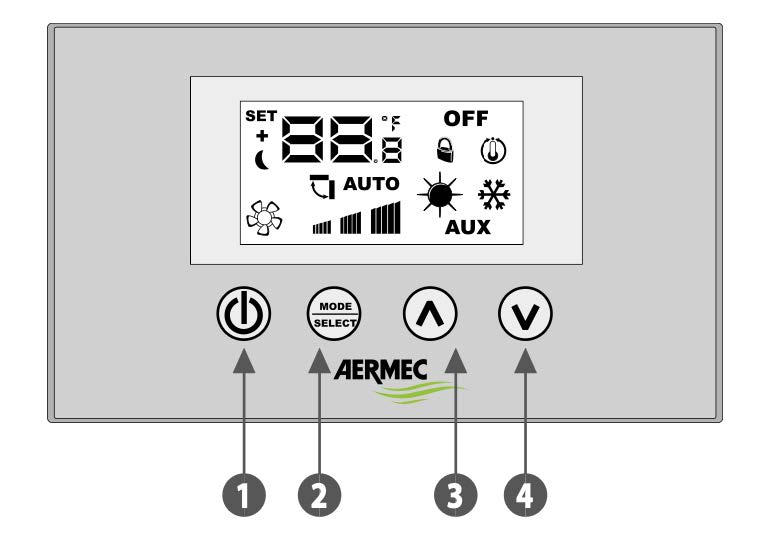
Living Room Model
1. On/Off
2. Mode/Confirm
3. Increase value
4. Decrease value
Power-on, temperature adjustment and switch-off procedure
To turn on the device, press the On/Off button (1).
Press the Increase value or Decrease value buttons (3 or 4) to enter temperature set mode, then press them again to set the desired temperature.
Press the Mode/Confirm button (2) to confirm the selected temperature.
Press the On/Off button (1) to turn off the device.
Operating mode selection procedure
Press the Mode/Confirm button (2) to change and cycle through the operating modes:
• AUTO: automatic function
• V1: low fan speed
• V2: medium fan speed
• V3: high fan speed
• AUX: do not use
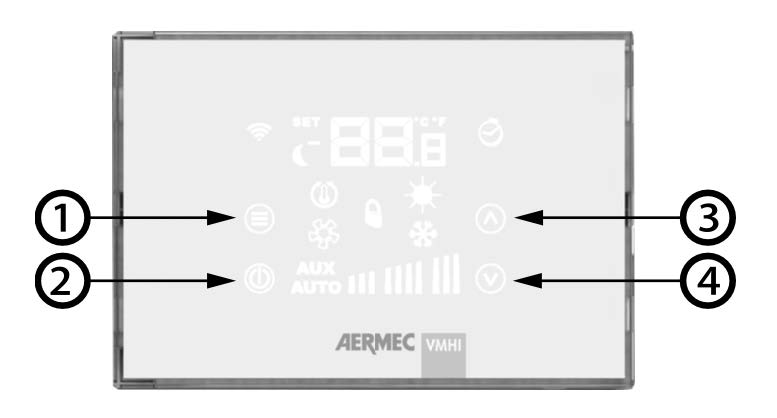
Bedrooms Model
1. Mode/Confirm
2. On/Off
3. Increase value
4. Decrease value
Power-on, temperature adjustment and switch-off procedure
To turn on the device, press the On/Off button (2) twice.
Press the Increase value or Decrease value buttons (3 or 4) to enter temperature set mode, then press them again to set
the desired temperature.
Press the Mode/Confirm button (1) to confirm the selected temperature.
The system automatically adjusts its operating speed to reach and maintain the set temperature.
Press the On/Off button (2) to turn off the device.
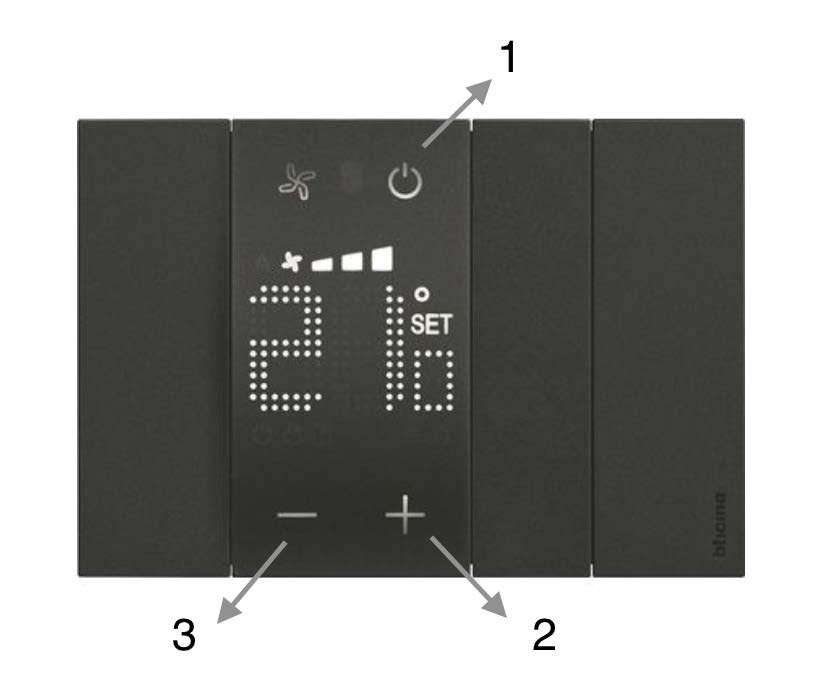
Underfloor heating
Each room in the apartment is equipped with an independent underfloor heating system.
1. On/Off
2. Increase value
3. Decrease value
When the device is off, the display shows the room temperature.
To turn on the device, press the On/Off button (1).
Press the Increase value or Decrease value buttons (2 or 3) to enter temperature set mode, then press them again to set the desired temperature.
Press the On/Off button (1) to turn off the device.
Lighting and windows
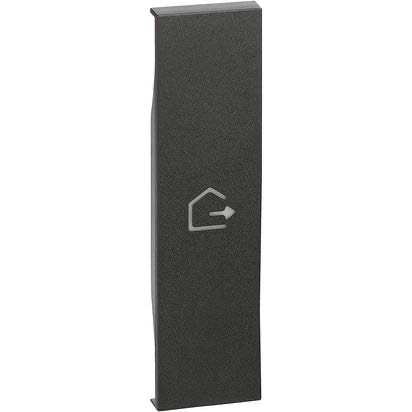
Master light switch
A master control switch for turning off all lights is located at the entrance of the apartment.
By pressing the lower part of the button, all lights can be switched off simultaneously.
Blackout shutters
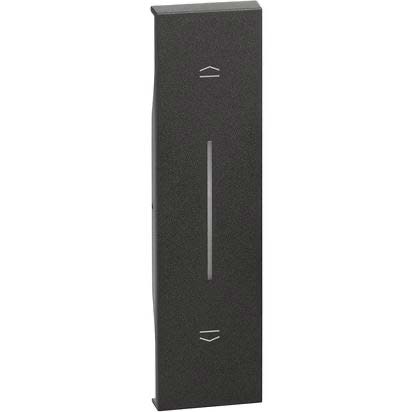
The apartment is equipped with motorized blackout shutters controlled via a wall switch.
• Press the upper part to raise the shutter
• Press the lower part to lower it
• Press and hold for automatic movement
Sunshade awning
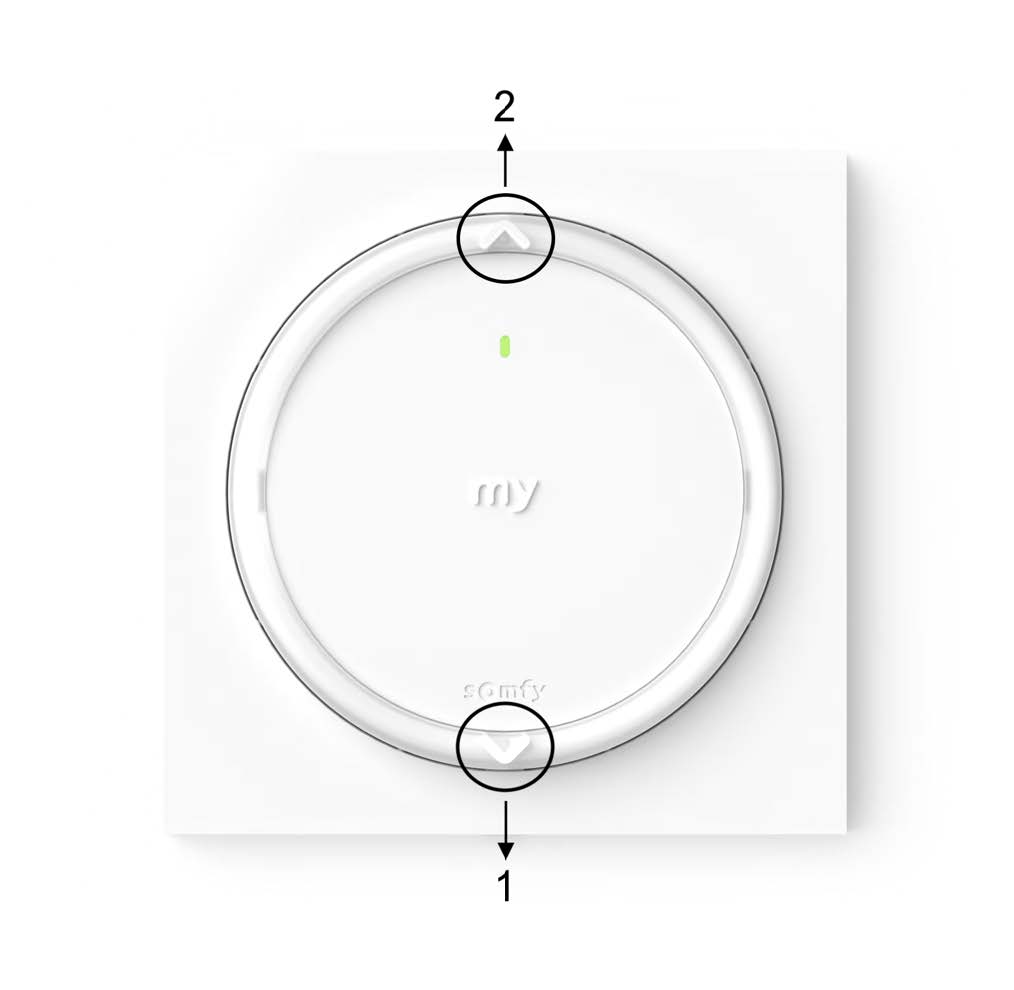
The apartment is equipped with motorized sunshade awnings controlled via a wall-mounted device.
1. Awning open button
2. Awning close button
Press the open or close button to operate the awning.
In case of rain or strong wind, the awning activates safety mode: it cannot be opened and, if already extended, it will
retract automatically.